Then make sure that you have good charge on your phone until the LED turns
Green then repair it with
SUS.
Download the installation package to any folder on your PC.
Download Update service or Download Update service
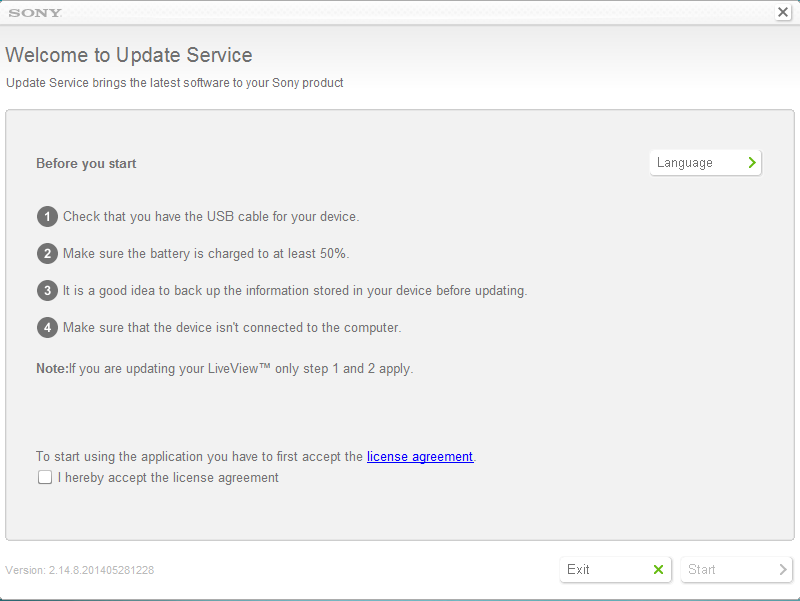
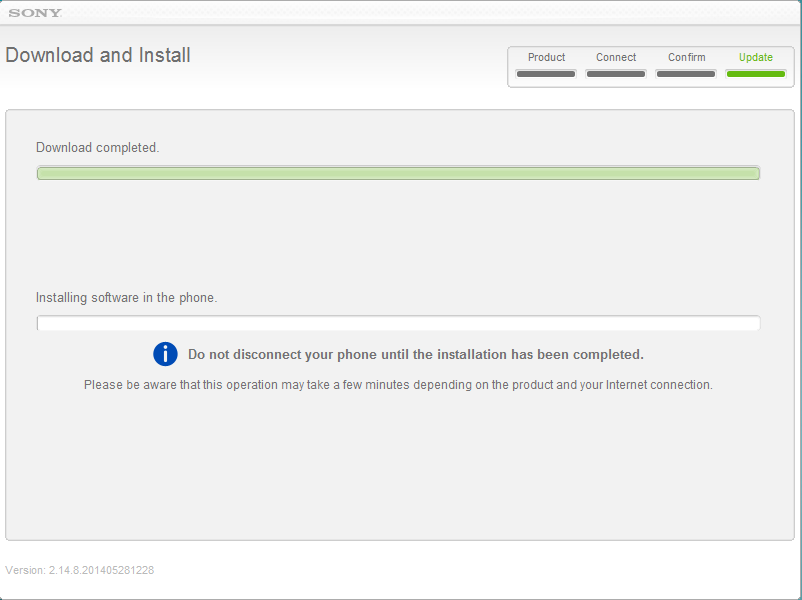
Run the downloaded file, and follow the instructions that appear see screen shot below.
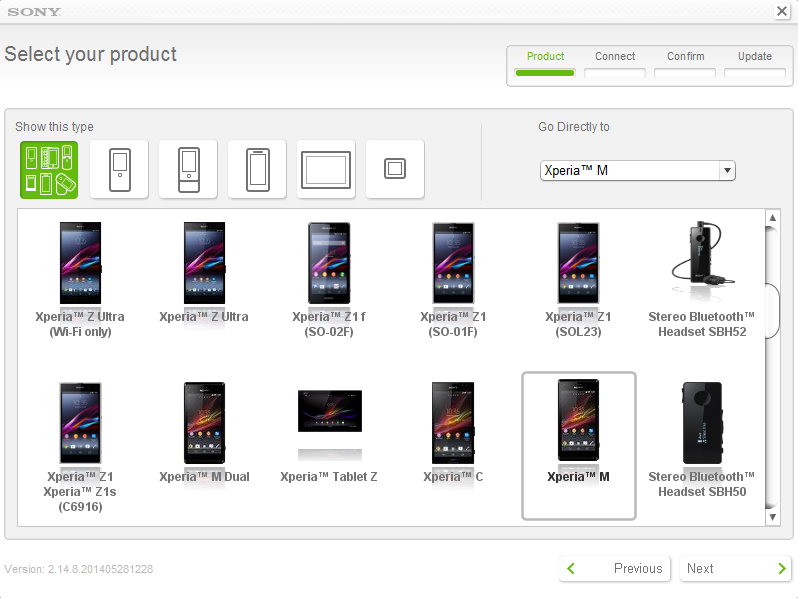
Choose your desired Phone Model or Series Model like i also have solved my Xperia MT27i booting stuck problem with this procedure and i chooses "XPeria M"
Note: You should create backup it will erase everything
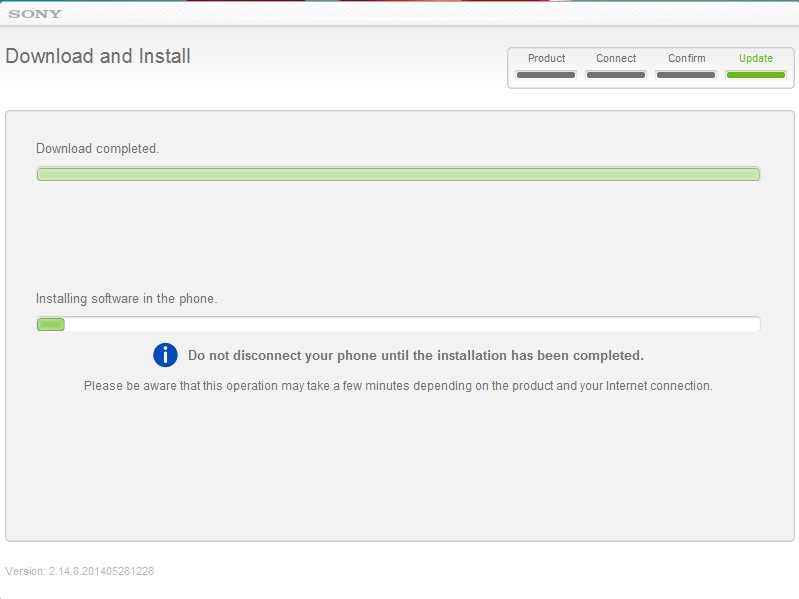
See all screen shot carefully for understanding the procedure easily
1: Accept License Agreement
2: Select you Phone/Device Model
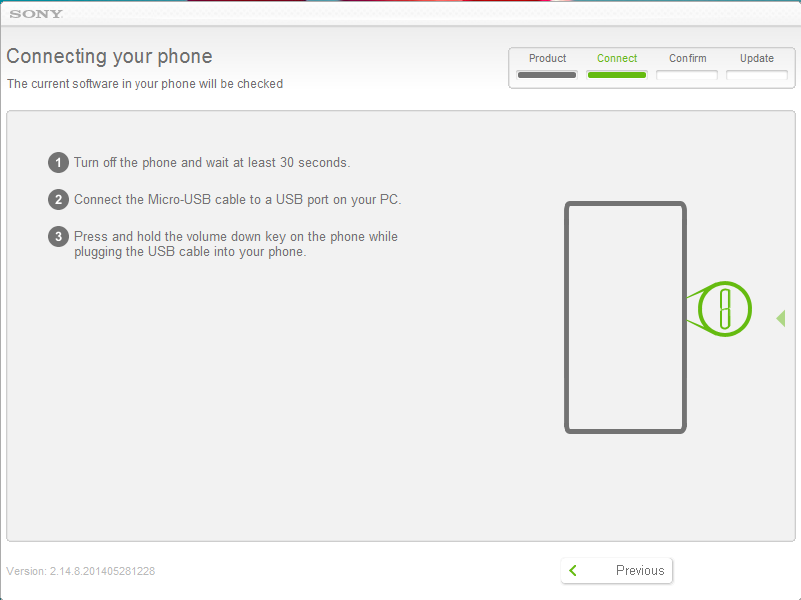
3: Turn off you mobile and then just press and hold the Volume Down Key(-) and the Plug Cable and then LED turns Green.
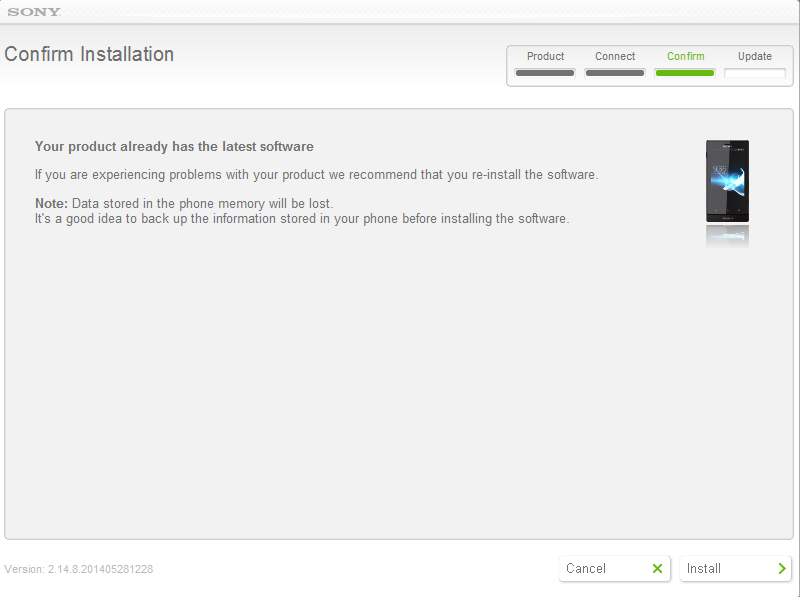
4: Just install because you are stuck on booting mode you cant go any further so dont worry :)
5: All personal content will be removed, please make sure that all personal content stored in your device is backed up (This is only for those who are able to use phone it is not for stuck boot mode because you cant do anything :)
6: Downloading will start and take sometime sit back and relax it is time for take a long breath :)
7: After downloading installation will start automatically
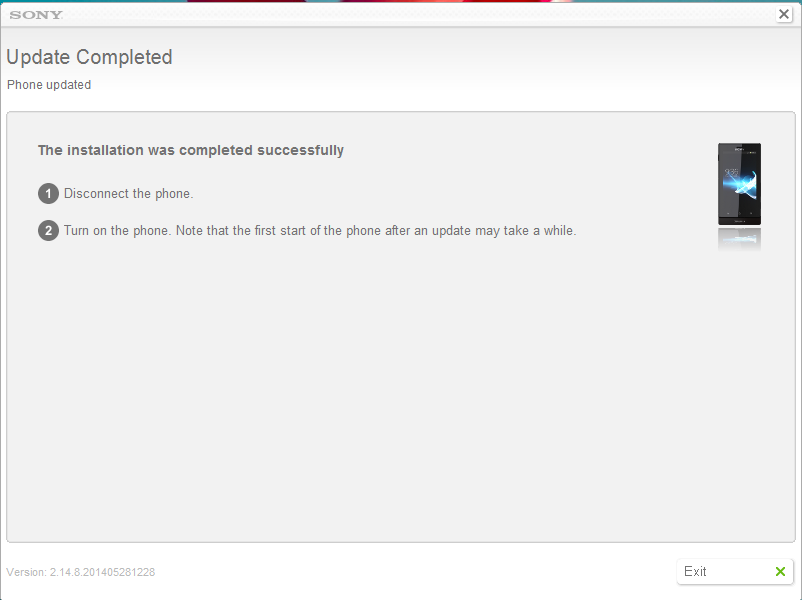
8: If you see this message " The installation was completed successfully" you phone is healthy will be perfect now disconnect cable and turn on you phone.
Note that first start of the phone after an update may take a while.Hope your phone is alive again if you solved you problem please write a feedback :)