Google Drive File 404 Error Solved

Toady i am going to tell you something that i have learn form my own experience how to temporary solve Google Drive File 404 Error
Google Drive File 404 Showing Error Solved
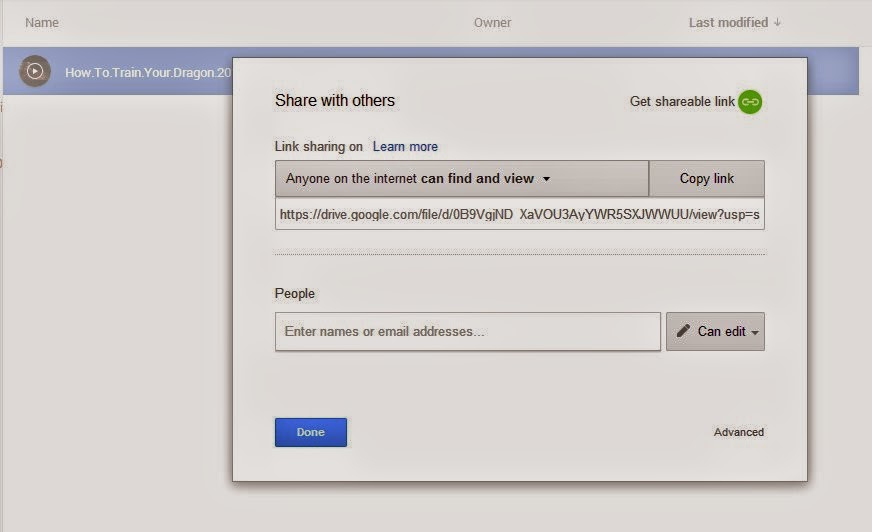
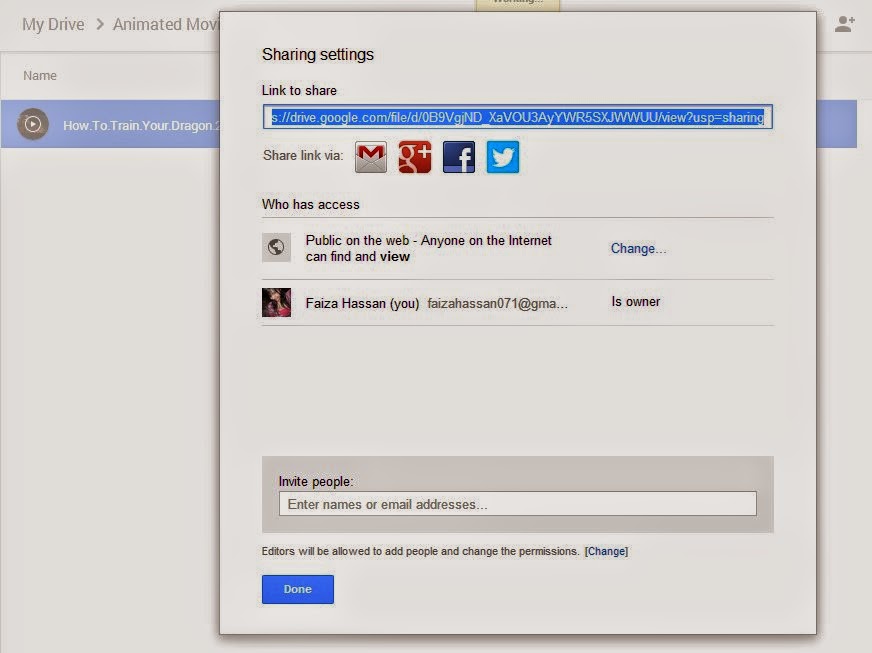
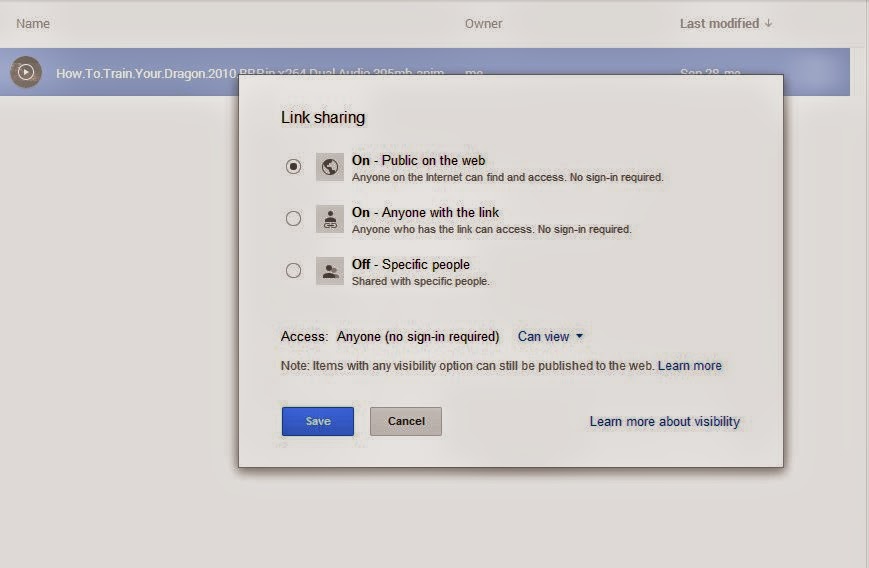
After applying all procedure form this post "How to Share Google Drive Files" you are getting this error so take a breath it is a bug and this error reported to Google Drive Team and they working on it or not we dont know about this
Note: After altering the shared link and you trying demo that link is working or not so dont try on same web browser there you are logged in it will show that the link is working and you are getting to the download page but if you you open the link on an other web browser there you are not logged in the link wont it will get you to the "Not Found 404" page it happened to me that is why i know about it. So before sharing link try demo on another web browser there you are not logged in with same Google id.
I also have solved my problem with Winrar (Try This First)
1. Create archive of file with Winrar that you want to upload it will work 100%
1. You are getting this page instead of download page this is not your mistake so dont worry go a head

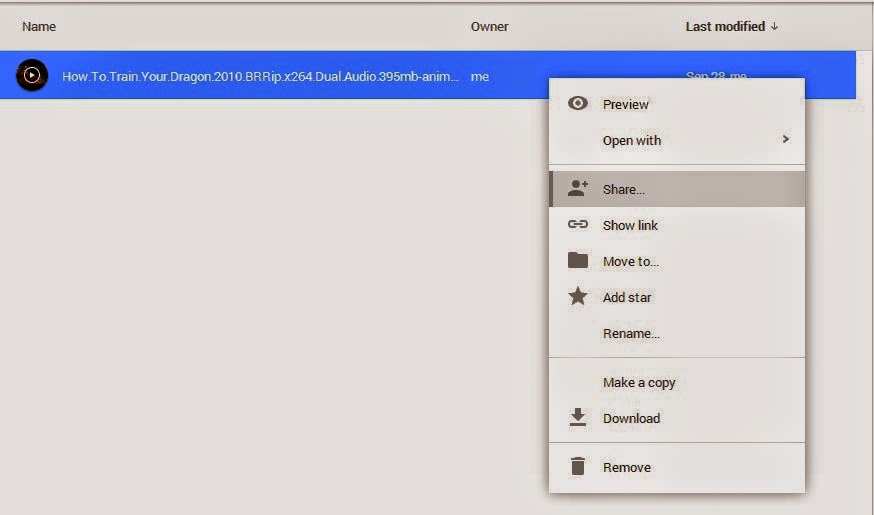
2. So throwing this problem away Right click on file that you want to make downloadable and make of copy of this file

3. After copied this file just apply above mentioned points 1 through 6 it will become downloadable

Now this file is available for download see yourself copy and paste this link and the result will be different
If you want to share of Google Drive File so please head to this post "How to Share Google Drive Files"
General Google Apps Errors
These are general application errors (referenced from this Google support page); see later in this article for errors specific to file syncing.
Error: ‘An unknown issue occurred and Google Drive needs to quit’
Solution: sign in/out and then try accessing your files again.
Error: ‘Temporary Error (502)’: a long way to say try accessing your files again in a few minutes;
Solution: After that time, click on a different section of Google Drive to refresh the files (e.g. “All Items”).
Error: ‘Your Google Drive folder is missing’: the Google Drive app uses a specific folder on your computer; this error occurs when you move, rename or delete that folder.
Solution: Click ‘Locate Folder’ when prompted if you moved/renamed the folder; if you deleted the folder, disconnect from Google Drive; you’ll be prompted to choose a new folder when you sign in again.
Error: ‘The Google Drive server encountered an error’: this means the app is unable to connect to Google’s servers
Solution: Click to retry connecting when prompted.
Error: Google Drive quits without warning
Solution: You’ll want to update your version of Google Drive if this happens more than once; download it from drive.google.com.
File And File Synchronization Errors
All of the general Google Apps errors listed above could occur while synchronizing files; here are some specific to accessing and synchronizing files (referenced from this Google support page):
Error: ‘This file points to an invalid online Google document’
Solution: Hopefully you still have a copy of that file because it’s no longer available in Google Drive. If you still have it, put it in your Google Drive folder and restart the app.
Error: ‘The file on your computer is missing’: this means the file is missing from the Google Drive folder on your computer; hopefully you still have the file.
Solution: Try restarting the Google Drive app.
Error: Some files fail to sync: the Google Drive app will tell you if it can’t sync files if you click the Google Drive icon and then “View # unsyncable files”
Solution: Click retry. If that doesn’t work, close and restart the Google Drive app.
Tips to Avoid Errors and Data Loss
The suggested remedies for Google Drive errors are for fixing the errors but not recovering your lost data; the unfortunate truth is that it’s often impossible. This is especially true if you were working on something and Google Drive unexpectedly quit. Worse, if you deleted a file or saved unwanted changes, Google Drive synchronizes those changes – that’s why it’s not a substitute for a real cloud-to-cloud backup. Follow these tips to help keep your data safe:
Save your data frequently
If you open up a file to make changes, first make a copy so you can go back to the original if need be
Always keep a secure backup of your data in a separate location
If this works for you so please leave a comment :)
Note: After altering the shared link and you trying demo that link is working or not so dont try on same web browser there you are logged in it will show that the link is working and you are getting to the download page but if you you open the link on an other web browser there you are not logged in the link wont it will get you to the "Not Found 404" page it happened to me that is why i know about it. So before sharing link try demo on another web browser there you are not logged in with same Google id.
I also have solved my problem with Winrar (Try This First)
1. Create archive of file with Winrar that you want to upload it will work 100%
1. You are getting this page instead of download page this is not your mistake so dont worry go a head
2. So throwing this problem away Right click on file that you want to make downloadable and make of copy of this file
3. After copied this file just apply above mentioned points 1 through 6 it will become downloadable
Now this file is available for download see yourself copy and paste this link and the result will be different
https://docs.google.com/uc?id=0B9VgjND_XaVOWklhZkJPdzJrSFU&export=download
If you want to share of Google Drive File so please head to this post "How to Share Google Drive Files"
If this not work try following solution
General Google Apps Errors
These are general application errors (referenced from this Google support page); see later in this article for errors specific to file syncing.
Error: ‘An unknown issue occurred and Google Drive needs to quit’
Solution: sign in/out and then try accessing your files again.
Error: ‘Temporary Error (502)’: a long way to say try accessing your files again in a few minutes;
Solution: After that time, click on a different section of Google Drive to refresh the files (e.g. “All Items”).
Error: ‘Your Google Drive folder is missing’: the Google Drive app uses a specific folder on your computer; this error occurs when you move, rename or delete that folder.
Solution: Click ‘Locate Folder’ when prompted if you moved/renamed the folder; if you deleted the folder, disconnect from Google Drive; you’ll be prompted to choose a new folder when you sign in again.
Error: ‘The Google Drive server encountered an error’: this means the app is unable to connect to Google’s servers
Solution: Click to retry connecting when prompted.
Error: Google Drive quits without warning
Solution: You’ll want to update your version of Google Drive if this happens more than once; download it from drive.google.com.
File And File Synchronization Errors
All of the general Google Apps errors listed above could occur while synchronizing files; here are some specific to accessing and synchronizing files (referenced from this Google support page):
Error: ‘This file points to an invalid online Google document’
Solution: Hopefully you still have a copy of that file because it’s no longer available in Google Drive. If you still have it, put it in your Google Drive folder and restart the app.
Error: ‘The file on your computer is missing’: this means the file is missing from the Google Drive folder on your computer; hopefully you still have the file.
Solution: Try restarting the Google Drive app.
Error: Some files fail to sync: the Google Drive app will tell you if it can’t sync files if you click the Google Drive icon and then “View # unsyncable files”
Solution: Click retry. If that doesn’t work, close and restart the Google Drive app.
Tips to Avoid Errors and Data Loss
The suggested remedies for Google Drive errors are for fixing the errors but not recovering your lost data; the unfortunate truth is that it’s often impossible. This is especially true if you were working on something and Google Drive unexpectedly quit. Worse, if you deleted a file or saved unwanted changes, Google Drive synchronizes those changes – that’s why it’s not a substitute for a real cloud-to-cloud backup. Follow these tips to help keep your data safe:
Save your data frequently
If you open up a file to make changes, first make a copy so you can go back to the original if need be
Always keep a secure backup of your data in a separate location
If this works for you so please leave a comment :)